CMMS stands for Computerized Maintenance Management System — and for any organization that runs on physical equipment, it's one of the highest-impact pieces of software it can adopt. If your team still tracks maintenance on spreadsheets, whiteboards or memory, you already know the symptoms: surprise breakdowns, lost history, parts that aren't there when you need them, and audits that turn into scrambles.
This guide is a complete introduction to what a CMMS is and does: the core features, the difference between reactive, preventive and predictive maintenance, the concrete benefits, how it integrates with your other systems, and how to choose and roll one out. Whether you're replacing paper or upgrading an old tool, you'll leave knowing exactly what to look for.
Definition
What is a CMMS?
A CMMS — Computerized Maintenance Management System — is software that centralizes how an organization manages the maintenance of its physical assets. It stores asset information, schedules and tracks work orders, manages spare parts, and captures a complete maintenance history in one place. In short, a CMMS replaces paper, spreadsheets and tribal knowledge with a single system that answers: what do we own, what condition is it in, and what maintenance does it need next?
The payoff is concrete: a good CMMS reduces maintenance costs, minimizes asset downtime, extends equipment life, and raises work-order completion rates. It shifts a maintenance team from reactive firefighting — fixing things after they break — to planned, preventive and even predictive care. It's a foundational tool for any asset-intensive operation, and it integrates naturally with tracking; see SmartX HUB CMMS.
It helps to distinguish a CMMS from two neighbors it is often confused with. An EAM (Enterprise Asset Management) system is broader, covering the entire asset lifecycle including procurement and finance — a CMMS is often the maintenance core within an EAM. An ITAM tool, by contrast, manages IT assets like laptops and software licenses. The simplest way to think about it: if the primary goal is keeping physical equipment running reliably and affordably, a CMMS sits at the center of that job. Many organizations adopt one as their first serious step out of spreadsheets, then grow into broader EAM capabilities over time.
Core features
What a CMMS does: core features
Work order management
Create, assign, prioritize and track work orders across sites, from request to completion, in real time.
Preventive maintenance
Schedule recurring maintenance by date, usage or meter reading to service assets before they fail.
Asset & parts management
Track each asset's details and history, and keep spare-parts inventory synced with cycle counts and low-stock alerts.
Reporting & analytics
Measure PM compliance, downtime, costs and failure causes to drive better maintenance decisions.
Beyond these, a modern CMMS adds a mobile app so technicians receive and close work orders from the field, scan an asset to pull its full record, attach photos, and log time and parts — removing the manual data entry that plagues paper systems.
These features reinforce each other in practice. A preventive schedule automatically generates work orders; those work orders draw down spare parts, which triggers reordering; every completed job enriches the asset’s history, which sharpens future scheduling and feeds the analytics. This closed loop is what separates a real CMMS from a simple digital checklist — the data from each activity makes the next one smarter, and over time the whole maintenance operation compounds in effectiveness.
Maintenance types
Reactive, preventive and predictive maintenance
Reactive (run to failure)
Fix it when it breaks. Sometimes appropriate for cheap, non-critical assets — but as a default strategy it means unplanned downtime, rushed repairs and higher long-term cost.
Preventive (scheduled)
Service assets on a fixed schedule — by calendar, runtime or usage — to prevent failures before they happen. This is the core of what a CMMS enables, and it dramatically reduces unplanned downtime.
Predictive (condition-based)
Use IoT sensor data and analytics to service assets exactly when the data shows it's needed — not too early, not too late. A CMMS connected to condition monitoringA CMMS connected to condition monitoring and predictive analytics is the most advanced and cost-effective approach.
In reality, a mature maintenance operation uses all three deliberately: run-to-failure for cheap, non-critical items where prevention would cost more than the failure; preventive schedules for the bulk of important assets; and predictive, condition-based care reserved for the critical and expensive machinery where an unexpected failure would hurt most. A good CMMS is what lets a team apply the right strategy to each asset class and shift the balance toward prevention over time as the data reveals where failures actually cluster.
Where SmartX HUB goes beyond a classic CMMS
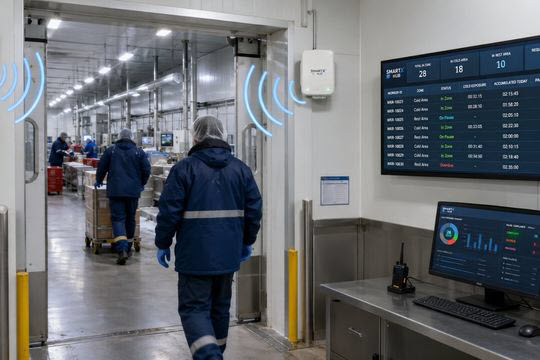
Most CMMS tools know an asset’s maintenance history — but not where it is right now. SmartX HUB integrates RFID and RTLS, so technicians get the work order together with the asset’s live location. Maintenance and location on one platform — no hunting for equipment before you can service it.
Benefits
The benefits of a CMMS
- Less downtime: preventive scheduling stops failures before they halt production.
- Lower costs: planned maintenance is cheaper than emergency repairs, and extends asset life.
- Audit-ready compliance: a complete, searchable history proves maintenance was done correctly.
- Better parts control: the right spares on the shelf when work orders need them, without overstocking.
- Data-driven decisions: failure and cost analytics reveal which assets to repair, replace or retire.
- Productive technicians: mobile access and clear priorities mean less admin, more wrench time.
- Provable safety & compliance: an automatic, timestamped record proves every inspection and repair was done, ready for any auditor or insurer.
Integrations
How a CMMS fits your systems
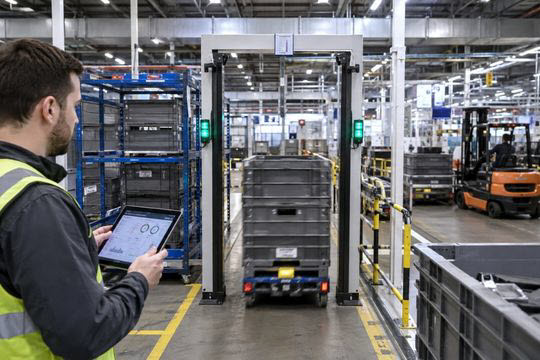
A CMMS rarely works alone. It connects to the systems that run the business: ERP for purchasing and finance, asset tracking and RTLS for real-time location, IoT sensors for condition data, and inventory systems for parts. Through open APIs, a modern CMMS adds a maintenance and location layer on top of your systems of record rather than replacing them.
The integration with real-time location deserves emphasis, because it closes a gap classic maintenance software never did. A traditional CMMS can say asset 3382 is due for service and show its history — but not where it is right now. In a large facility or hospital, finding the asset can take longer than the maintenance itself. Uniting CMMS with RFID and RTLS means the work order arrives with the asset’s live location attached, so the technician goes straight to it — removing a large, invisible daily tax on every maintenance team.
The integration with real-time location deserves special emphasis, because it addresses a gap classic maintenance software never closed. A traditional CMMS can tell a technician that asset 3382 is due for service and what was done to it last time — but not where it is right now. In a large facility, hospital or plant, simply finding the asset can consume more time than the maintenance itself. Uniting CMMS with RFID and RTLS closes that loop: the work order arrives with the asset’s live location attached, so the technician goes straight to it. It is a small-sounding change that removes a large, invisible daily tax on every maintenance team.
Choosing
Choosing and rolling out a CMMS
The best CMMS rollouts share a pattern: start by cleaning your asset data and defining clear categories and ownership, because a CMMS built on a messy asset register produces fast, accurate data about a flawed model. Pick a focused starting point — one site or one critical asset class — configure preventive schedules, train technicians on the mobile workflow, and prove the value before expanding.
Choose a system that scales across sites, integrates through open APIs, and — ideally — knows not just an asset's history but its live location. Built on recognized asset standards, a location-aware CMMS becomes the backbone of a maintenance operation that's proactive, provable and continuously improving.
Adoption is ultimately a people project as much as a software one. The most powerful CMMS delivers nothing if technicians find paper easier, so the systems that win are the ones teams actually want to use: fast mobile workflows, scanning instead of typing, and clear value for the person doing the work. Choose for usability as much as features, involve the maintenance team early, and the CMMS stops being a system imposed on people and becomes a tool that makes their day easier — which is exactly when the financial and reliability benefits compound.
Modernize maintenance across your operation
See how SmartX HUB combines a full CMMS with real-time location — so your team gets the work order and the asset’s live position, on one platform.